|
Location selection is only available starting from best_web version 6.2.5.7. You can find the latest all-in-one installer in our customer portal. |
Mobile workstations have become a part of many company structures. To easily include these mobile units in your alarm concept, you have the possibility to set up a Location selection Info. The Location selection Info is an Alarm Edition feature that allows these mobile users to proactively update their location as soon as they connect to the Infoserver.
Setting up the Location selection
The Location selection is deactivated by default. To set up the Location selection Info, navigate to the Location selection tile in the Alarm App:
Here you can now configure the Location selection:
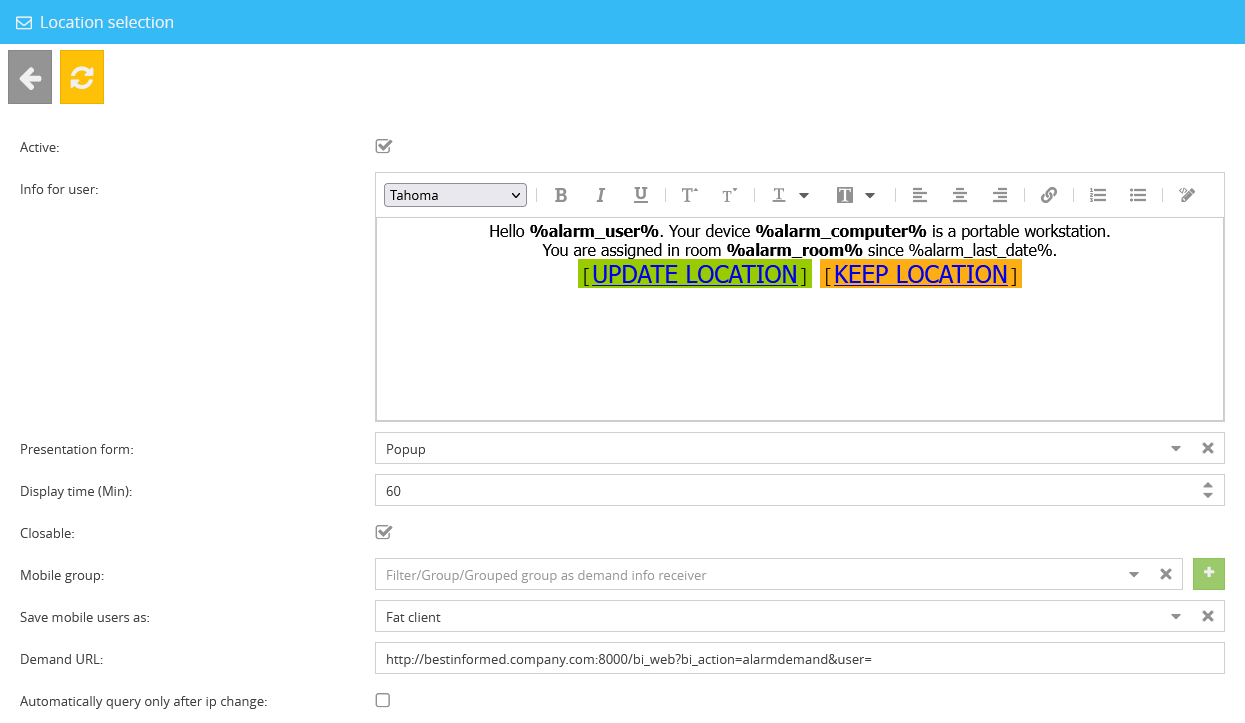
The following settings can be made here:
•Active
Activates the Location selection Info function.
•Info for user
Here you can edit the Info that appears for the user.
•Presentation form
Choose whether the Info is displayed as an info-ticker or a pop-up window.
•Display time (Min)
The display time of the Info (in minutes) can be adjusted here.
•Closable
With this option you can determine whether the Info can be closed or not.
•Mobile group
Enter a filter, a group or a grouping for the users you want to receive the Location selection Info here. Any Infoclient-Filter created in the Filter App can be chosen.
•Save mobile users as
Choose how mobile users are categorised. You have the options Fat Client, Thin Client or User.
|
The different types refer to the following attributes from the connection overview. Based on these, mobile users and computers are assigned in the alarm app: •Fat Client = Computername •Thin Client = Session (Computername) •User = Username |
•Demand URL
Enter the URL of the location selection website here. This URL is automatically used for the “Update Location” hyperlink in the Location selection Info via the variable %alarm_demand_url%. Since this website is hosted on the Infoserver to which the clients are connected, please ensure that all recipients of the Location selection Info have network access to this page.
•Automatically query only after IP change
Limits the automatic location query on login to occur only after the device’s IP address has changed.
The default Location selection Info template utilises multiple environment variables, explained as follows:
%alarm_user% |
Displays the username of the recipient. |
%alarm_computer% |
Displays the computername of the device. |
%alarm_room% |
Displays the last assigned Alarm room. |
%alarm_last_date% |
Displays the last time the location of the device was edited. |
The default Location selection Info would look like this:

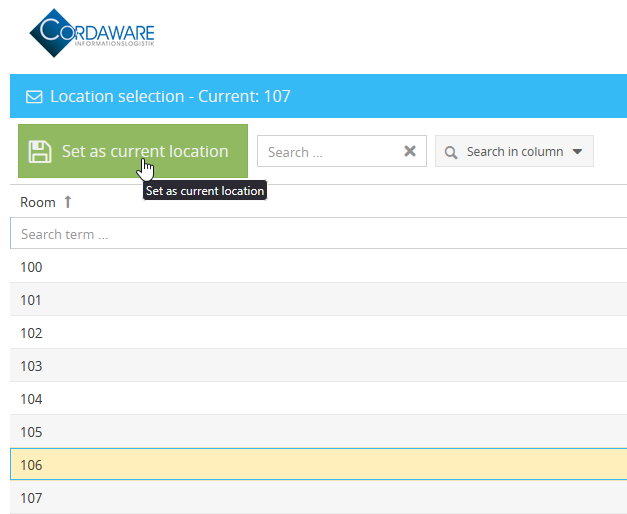
If you want to update your location, you can click on the hyperlink “Update Location” to open the Web Interface.
In this interface you can now select your location from a list of predefined options. This list can be edited and expanded in Manage Rooms.
In the Assignment overview you can check which devices have updated their location.
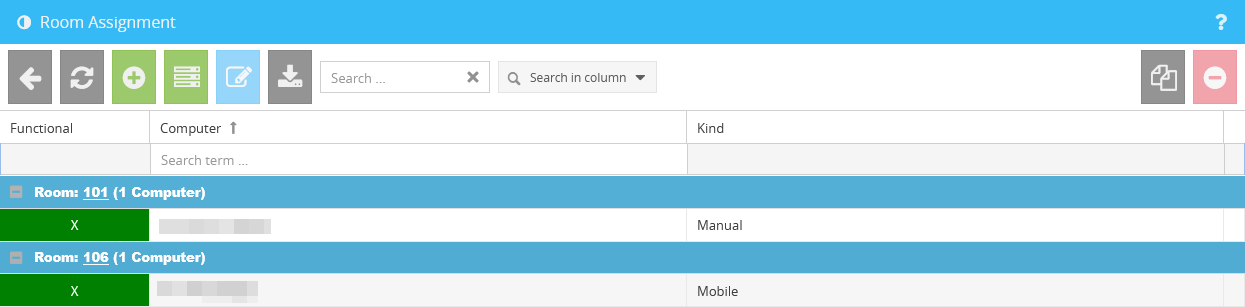
Devices manually assigned in the web interface are listed as Manual. After changes are made with the Location selection Info, this status changes to Mobile.
Reopening the Location Selection Info
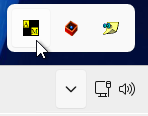
To allow users to manually update their location, the automatically created Statusinfo named “Userdata Refreshment” is available. Once this Statusinfo is set to Active, all Infoclients will by default receive a new icon in their system tray that allows them to reopen the Location selection Info at any time. If required, you can restrict the recipients by editing the Statusinfo.